
A locations dataset generates a large number of trips to or from a single ‘central’ location and defines how those trips behave when they are evaluated in a scenario. The central point is assumed to be the attraction point, the other points are all assumed to be the ‘home end’ of the trips.
When should I use this
This dataset type is typically used for:
- Traffic Impact Assessment (TIA) of new developments
- Analysing an existing site or parking that generates traffic
- Evaluating access, road network or layout changes or surrounding road capacity
- Event and event planning, where traffic travels to and from a venue
Trips are modelled as travelling either towards or away from the location, representing incoming and outgoing traffic associated with the site or event.
Before you start
You need:
- A project
Steps
1. Create an empty dataset
- Open your project
- Click New dataset
- Select A single location as origin or destination
- Enter a name for the dataset
The dataset editor will open.
2. Select the central location
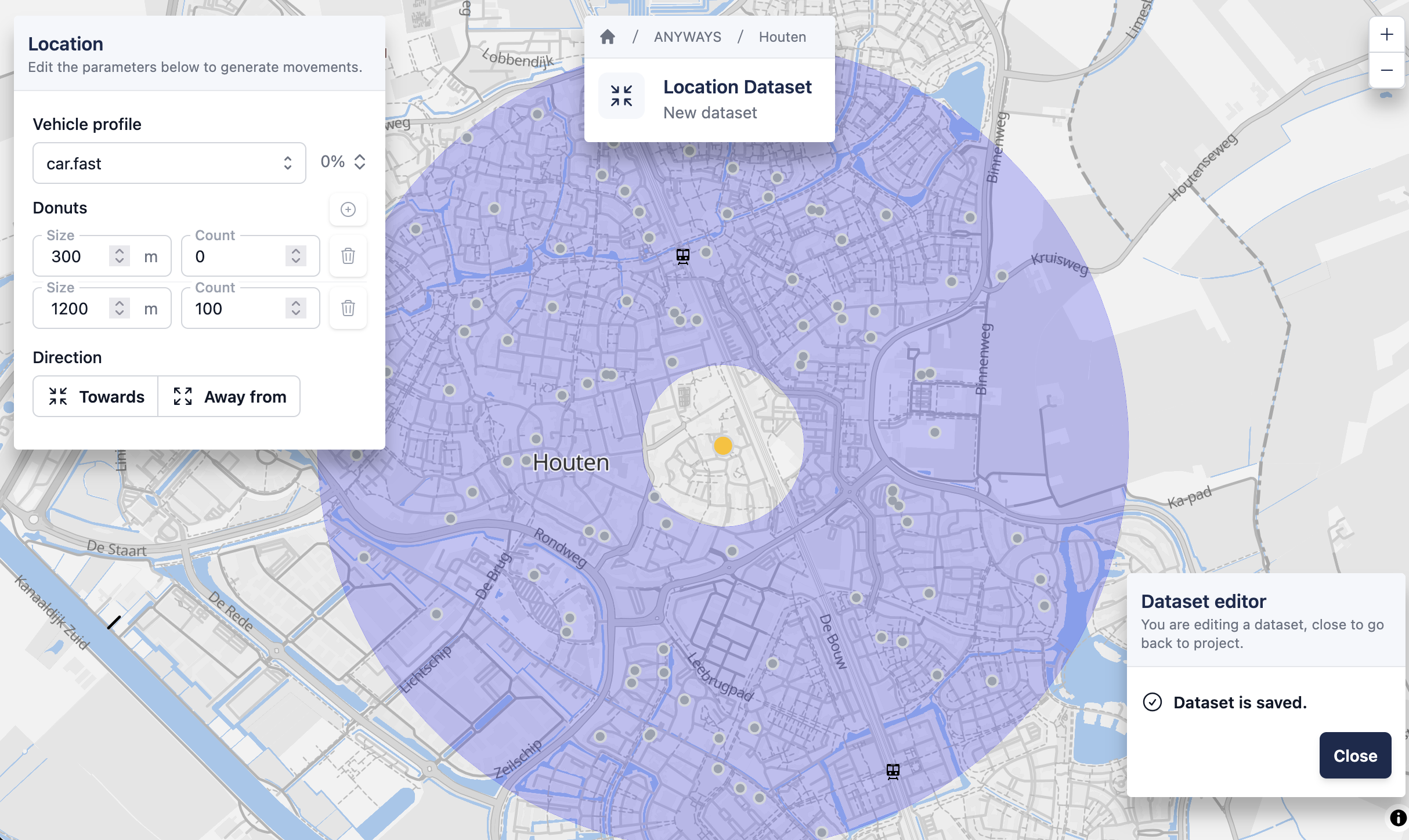
Click on the map to select the central location. This is the point that trips will travel towards or away from. (i.e. the non-home end of the trips)
3. Configure routing behaviour
Select a vehicle profile to control how trips are routed when the dataset is evaluated in a scenario.
For a first dataset, keep the default:
car.fast
4. Define distance bands (“donuts”)
Add one or more distance bands around the central location.
For each band:
- Set the distance
- Set the number of trips to generate
5. Choose direction
Choose how trips are generated:
- Towards – trips travel to the central location
- Away from – trips travel away from the central location
After selecting a direction, a preview of the generated trips is calculated and shown on the map. All points are distributed in the donuts are assumed to be the home-end of the trip. They are spread taking in account the density (using worldpop data) and urban areas.
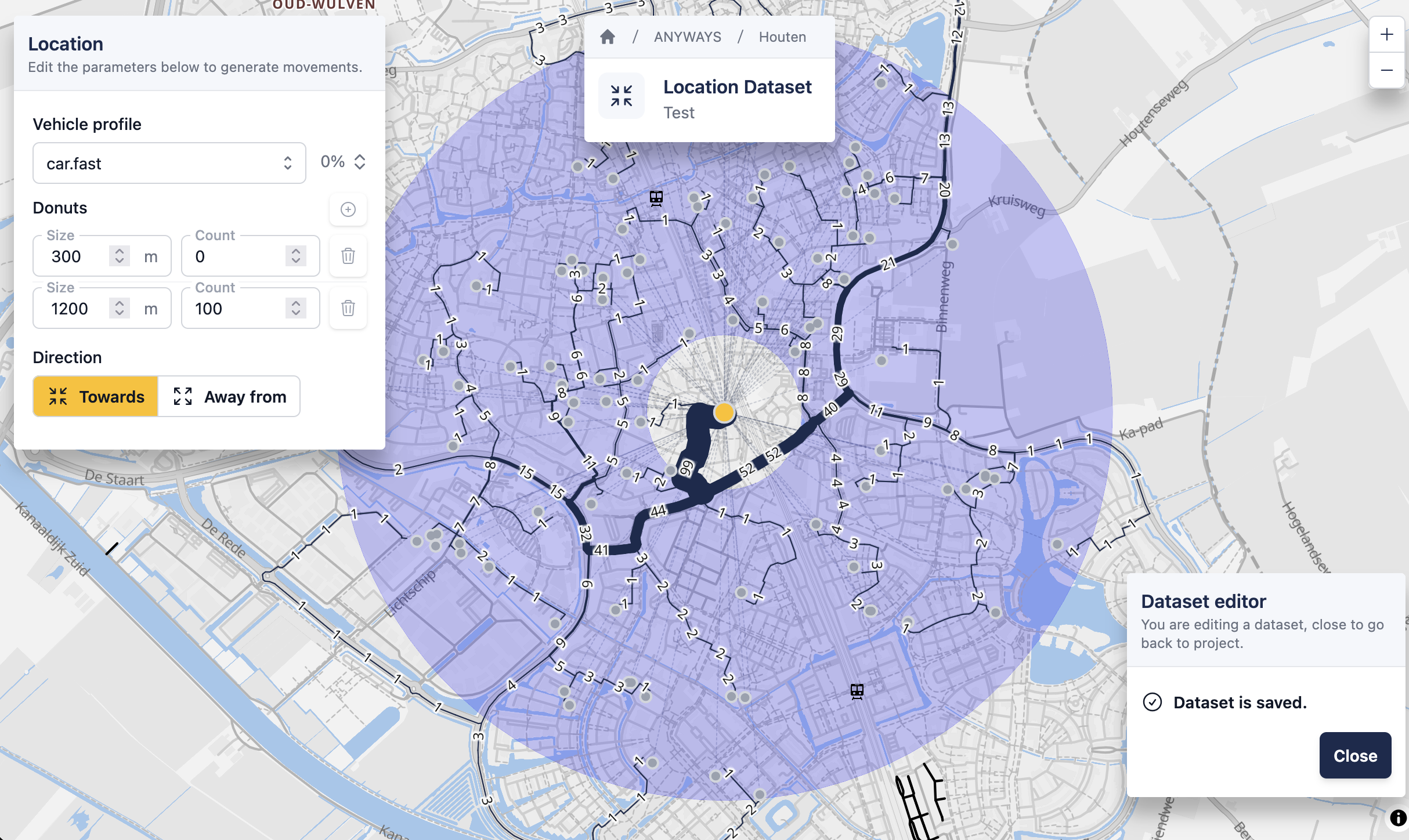
The dataset is ready and can be added to a scenario.
6. Return to project
✅ That’s it! — you’ve simulated traffic using a location dataset.
You can close the dataset editor to return to the project.